
Your thermostat screen is completely dark and the house feels like a sauna. You need to fix this fast before the Georgia heat turns your home into an oven. Here are the steps to diagnose and repair a blank thermostat screen in Atlanta. EPA energy efficiency guide.
Common Causes: Why Your Thermostat Went Dark
A blank thermostat can result from several issues ranging from simple to complex. The most frequent culprits in Atlanta homes include dead batteries, tripped circuit breakers, clogged condensate drain lines, and wiring problems. The high humidity in Georgia often causes condensate lines to clog, triggering safety switches that cut power to your thermostat.
Smart thermostats like Nest, Ecobee, and Honeywell Home have different power management systems than traditional models. These devices may go blank due to C-wire issues, transformer failures, or software glitches. Understanding your specific thermostat brand helps narrow down the problem.

Step 1: Check the Batteries (The 2-Minute Fix)
Start with the simplest solution. Most thermostats use AA or AAA batteries that need replacement every 6-12 months. Some newer smart thermostats use internal lithium batteries that charge through the HVAC system’s C-wire.
Remove the thermostat faceplate and check for battery compartments. Replace all batteries with fresh ones even if they don’t look completely dead. For smart thermostats, ensure the C-wire connection is secure and providing power. A loose C-wire can cause intermittent power loss.
If your thermostat has a battery icon showing low power, replace batteries immediately. For models without visible battery indicators, changing batteries every spring before Atlanta’s heat hits prevents unexpected failures.
Step 2: Inspect Your Circuit Breaker and HVAC Power Switch
A tripped circuit breaker cuts power to your entire HVAC system including the thermostat. Check your main electrical panel for any breakers in the middle position or labeled “HVAC,” “Furnace,” or “Air Conditioner.” Flip any tripped breaker completely off then back on.
Many Atlanta homes have a dedicated HVAC disconnect switch near the outdoor condenser unit or inside the furnace closet. This red switch looks like a regular light switch but controls power to your heating and cooling equipment. Make sure it’s in the “on” position.
If breakers trip repeatedly, you may have a short circuit in your HVAC system. This requires professional diagnosis as continuing to reset breakers can cause electrical damage or create fire hazards.
Step 3: The ‘Atlanta Special’—Clogged Condensate Lines & Float Switches
Atlanta’s high humidity creates perfect conditions for algae and mold growth in condensate drain lines. When these lines clog, water backs up into the drain pan and triggers a float switch that cuts power to prevent flooding. This safety feature often makes your thermostat screen go completely blank.
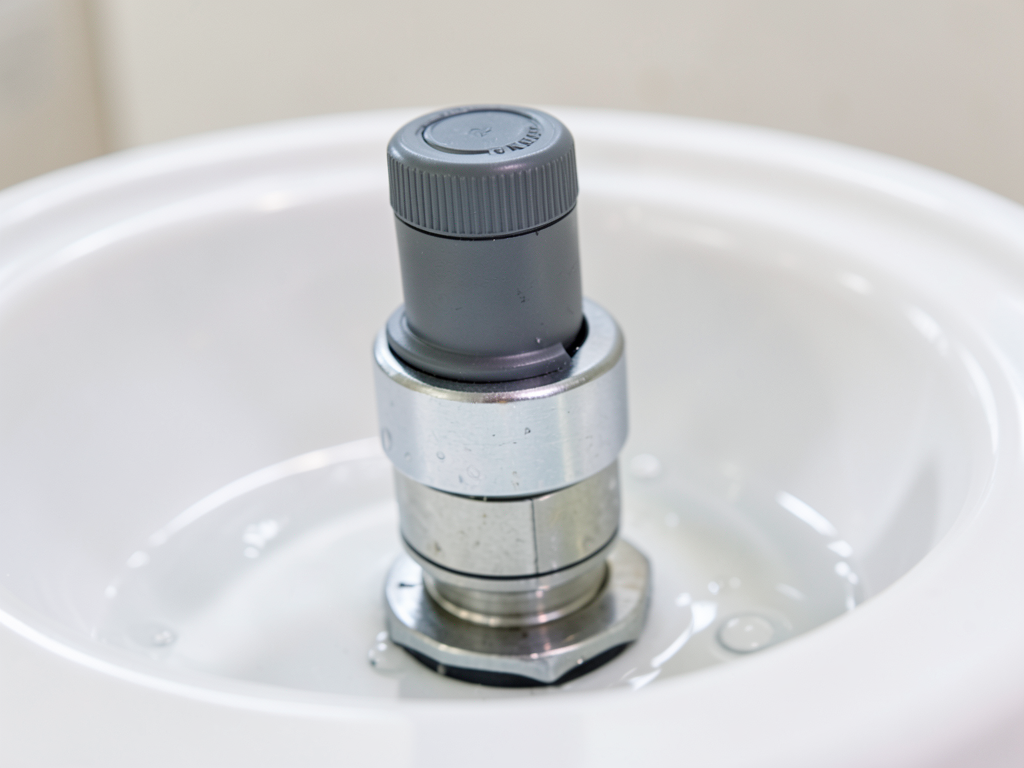
Locate your air handler’s drain pan and float switch. The switch is usually a small device with a floating ball or paddle that rises with water level. If the float is up, your drain line is clogged. You can try clearing it with a wet/dry vacuum on the outside drain line or using vinegar to kill algae buildup.
Many Peachtree City homes have condensate pumps that push water uphill to drain lines. These pumps can fail or get clogged, triggering the same safety shutdown. Listen for the pump running when your AC is on. No sound might indicate a failed pump.
Step 4: Checking the C-Wire and Internal Wiring
The C-wire (common wire) provides continuous 24-volt power to your thermostat. Without it, smart thermostats may lose power or reset frequently. Remove your thermostat from the wall and check that all wires are securely fastened to their terminals.
Look for corrosion on wire terminals or signs of burning. Loose connections cause voltage drops that make your thermostat screen flicker or go completely dark. If you have multiple colored wires, ensure the C-wire (usually blue) connects to the C terminal on both the thermostat and air handler.
Some older Atlanta homes lack C-wires entirely. In these cases, you can install a C-wire adapter or use a learning thermostat that creates its own power through the heating and cooling wires. However, these solutions may not provide reliable power for all smart thermostat features. Specialized HVAC Solutions for Historic Virginia-Highland Homes.
When to Call a Professional HVAC Technician
Call for professional help if you’ve checked batteries, breakers, and condensate lines without success. Other signs you need expert service include burning smells, repeated breaker trips, or if your thermostat screen flickers before going completely blank.
Professional diagnosis typically takes 30-60 minutes and costs between $75-150 in Atlanta. Technicians use multimeters to test voltage at various points in your system, check transformer output, and examine control boards for failed components. They can also identify if your thermostat needs replacement versus repair. Comparing Costs for a New AC Unit in Sandy Springs.
Emergency service is available 24/7 for situations where you have no cooling during Atlanta’s summer heat. Most HVAC companies guarantee same-day service for thermostat failures that leave you without temperature control.
Thermostat Lifespan and Repair vs. Replace Decisions
Traditional thermostats typically last 10-15 years while smart thermostats often need replacement after 5-7 years due to software obsolescence and battery degradation. If your thermostat is over 10 years old and requires repairs, replacement often makes more financial sense.
Consider replacing your thermostat if repair costs exceed $150, if it lacks modern features like Wi-Fi connectivity, or if you’re upgrading other HVAC components. New thermostats improve energy efficiency and provide better temperature control than older models.
Smart thermostat installation costs range from $200-500 including the device, depending on features and complexity. Many Atlanta utility companies offer rebates for energy-efficient smart thermostats that can offset part of the installation cost.
Nest, Ecobee, and Honeywell Specific Reset Codes
Different thermostat brands have unique reset procedures. For Nest thermostats, press and hold the display for 10 seconds until it restarts. If this doesn’t work, check the circuit breaker for the HVAC system.
Ecobee thermostats often recover from power loss automatically, but you can perform a factory reset by holding the main button for 5 seconds. Check your Wi-Fi connection afterward as Ecobee relies heavily on network connectivity.
Honeywell Home thermostats may display error codes when they lose power. Common codes include “E1” for low battery or “E2” for wiring issues. Refer to your model’s manual for specific troubleshooting steps.
Preventing Future Thermostat Failures
Schedule annual HVAC maintenance to catch potential thermostat issues before they cause complete failures. Technicians check voltage levels, clean connections, and test all system components during routine service calls. The Only HVAC Maintenance Plan Dunwoody Homeowners Actually Need.
Install surge protectors on your HVAC system to prevent damage from Atlanta’s frequent thunderstorms. Power surges can fry thermostat electronics, transformers, and control boards, causing immediate failures.
Keep your condensate drain lines clear by pouring a cup of vinegar down the line every few months. This prevents algae buildup that leads to clogs and float switch trips.
Quick Reference Troubleshooting Table
| Symptom | Most Likely Cause | DIY Fix | Call Pro? |
|---|---|---|---|
| Completely dark screen | Dead batteries | Replace batteries | No |
| Screen flashes then dies | Loose C-wire | Check wire connections | Maybe |
| No power to entire system | Tripped breaker | Reset breaker | No |
| Screen works but AC won’t start | Float switch tripped | Clear drain line | Maybe |
| Burning smell + blank screen | Electrical short | Turn off power | Yes |
Cost Comparison: DIY vs. Professional Repair
| Repair Type | DIY Cost | Professional Cost | Time Required |
|---|---|---|---|
| Battery replacement | $5-15 | $50-100 service call | 2 minutes |
| C-wire connection | $0-20 (tools) | $75-150 diagnosis | 15-30 minutes |
| Breaker reset | $0 | $75-150 diagnosis | 5 minutes |
| Condensate cleaning | $10-30 (vacuum) | $100-200 service | 30-60 minutes |
| Transformer replacement | Not recommended | $250-400 parts + labor | 1-2 hours |
Frequently Asked Questions
Why does my thermostat screen go blank when the AC turns on?
This usually indicates a voltage drop caused by a failing transformer or overloaded circuit. When your AC compressor starts, it draws significant power that can cause brief voltage drops, making your thermostat lose power momentarily. This requires professional diagnosis.
Can a power outage damage my thermostat?
Power outages themselves rarely damage thermostats, but the power surges that often accompany outages can. Installing a whole-home surge protector protects all your electronic devices including your thermostat from surge damage during Georgia’s frequent thunderstorms.
How do I know if my thermostat needs replacement vs. repair?
Replace your thermostat if it’s over 10 years old, repair costs exceed $150, or if it lacks features you want like Wi-Fi connectivity. Repair makes sense for newer thermostats with simple issues like loose wires or dead batteries.
Will a blank thermostat screen damage my HVAC system?
A blank screen itself won’t damage your system, but the underlying cause might. For example, a failing transformer can send incorrect voltages to your control board, potentially causing expensive damage. Address the root cause promptly.
Should I turn off my HVAC system if the thermostat screen is blank?
Yes, turn off power at the breaker until you diagnose the problem. This prevents potential damage from electrical issues and ensures safety while troubleshooting. You can usually identify the correct breaker by its label or by process of elimination.
Get Your Thermostat Working Again Today
A blank thermostat screen disrupts your comfort and can signal bigger HVAC problems. Most issues have simple fixes you can try yourself, but some require professional expertise to prevent further damage or ensure your system runs efficiently.
Don’t let Atlanta’s heat make your home unbearable. If you’ve tried the basic troubleshooting steps without success, call Summit HVAC Atlanta at (770) 600-9611 for fast, reliable service. Our experienced technicians diagnose thermostat problems quickly and get your system running again the same day.
We serve Peachtree City and surrounding Atlanta neighborhoods including Buckhead, Midtown, and Decatur. Whether you need emergency repair, routine maintenance, or a complete thermostat replacement, we’re here to restore your comfort with transparent pricing and guaranteed satisfaction.
Call (770) 600-9611 now or schedule your service online to get your thermostat working again before the next heat wave hits. For more information, visit Energy.gov thermostat guide.
{
“@context”: “https://schema.org”,
“@type”: “BlogPosting”,
“headline”: “What to do when your Peachtree City thermostat screen goes completely blank”,
“description”: “A blank thermostat screen in Atlanta can mean anything from dead batteries to serious HVAC issues. Learn how to troubleshoot and when to call for help.”,
“wordCount”: 1660,
“datePublished”: “2026-05-25T07:23:00.000Z”,
“dateModified”: “2026-05-25T07:23:00.000Z”,
“inLanguage”: “en-US”,
“mainEntityOfPage”: {
“@type”: “WebPage”,
“@id”: “https://summithvacatlanta.com”
},
“publisher”: {
“@type”: “LocalBusiness”,
“name”: “Summit HVAC Atlanta”,
“url”: “https://summithvacatlanta.com”
},
“author”: {
“@type”: “Organization”,
“name”: “Summit HVAC Atlanta”,
“url”: “https://summithvacatlanta.com”
},
“image”: {
“@type”: “ImageObject”,
“url”: “https://summithvacatlanta.com/wp-content/uploads/2026/03/what-to-do-when-your-peachtree-city-thermostat-scr-1.png”
}
}
{
“@context”: “https://schema.org”,
“@type”: “HVACBusiness”,
“name”: “Summit HVAC Atlanta”,
“url”: “https://summithvacatlanta.com”,
“address”: {
“@type”: “PostalAddress”,
“addressLocality”: “Atlanta”
},
“areaServed”: {
“@type”: “City”,
“name”: “Atlanta”
}
}
{
“@context”: “https://schema.org”,
“@type”: “FAQPage”,
“mainEntity”: [
{
“@type”: “Question”,
“name”: “Why does my thermostat screen go blank when the AC turns on?”,
“acceptedAnswer”: {
“@type”: “Answer”,
“text”: “This usually indicates a voltage drop caused by a failing transformer or overloaded circuit. When your AC compressor starts, it draws significant power that can cause brief voltage drops, making your thermostat lose power momentarily. This requires professional diagnosis.”
}
},
{
“@type”: “Question”,
“name”: “Can a power outage damage my thermostat?”,
“acceptedAnswer”: {
“@type”: “Answer”,
“text”: “Power outages themselves rarely damage thermostats, but the power surges that often accompany outages can. Installing a whole-home surge protector protects all your electronic devices including your thermostat from surge damage during Georgia’s frequent thunderstorms.”
}
},
{
“@type”: “Question”,
“name”: “How do I know if my thermostat needs replacement vs. repair?”,
“acceptedAnswer”: {
“@type”: “Answer”,
“text”: “Replace your thermostat if it’s over 10 years old, repair costs exceed $150, or if it lacks features you want like Wi-Fi connectivity. Repair makes sense for newer thermostats with simple issues like loose wires or dead batteries.”
}
},
{
“@type”: “Question”,
“name”: “Will a blank thermostat screen damage my HVAC system?”,
“acceptedAnswer”: {
“@type”: “Answer”,
“text”: “A blank screen itself won’t damage your system, but the underlying cause might. For example, a failing transformer can send incorrect voltages to your control board, potentially causing expensive damage. Address the root cause promptly.”
}
},
{
“@type”: “Question”,
“name”: “Should I turn off my HVAC system if the thermostat screen is blank?”,
“acceptedAnswer”: {
“@type”: “Answer”,
“text”: “Yes, turn off power at the breaker until you diagnose the problem. This prevents potential damage from electrical issues and ensures safety while troubleshooting. You can usually identify the correct breaker by its label or by process of elimination.”
}
}
]
}
{
“@context”: “https://schema.org”,
“@type”: “BreadcrumbList”,
“itemListElement”: [
{
“@type”: “ListItem”,
“position”: 1,
“name”: “Home”,
“item”: “https://summithvacatlanta.com”
},
{
“@type”: “ListItem”,
“position”: 2,
“name”: “Blog”,
“item”: “https://summithvacatlanta.com/blog”
},
{
“@type”: “ListItem”,
“position”: 3,
“name”: “What to do when your Peachtree City thermostat screen goes completely blank”
}
]
}
{
“@context”: “https://schema.org”,
“@type”: “Service”,
“serviceType”: “HVAC”,
“provider”: {
“@type”: “LocalBusiness”,
“name”: “Summit HVAC Atlanta”,
“url”: “https://summithvacatlanta.com”
},
“areaServed”: {
“@type”: “City”,
“name”: “Atlanta”
},
“description”: “A blank thermostat screen in Atlanta can mean anything from dead batteries to serious HVAC issues. Learn how to troubleshoot and when to call for help.”
}